
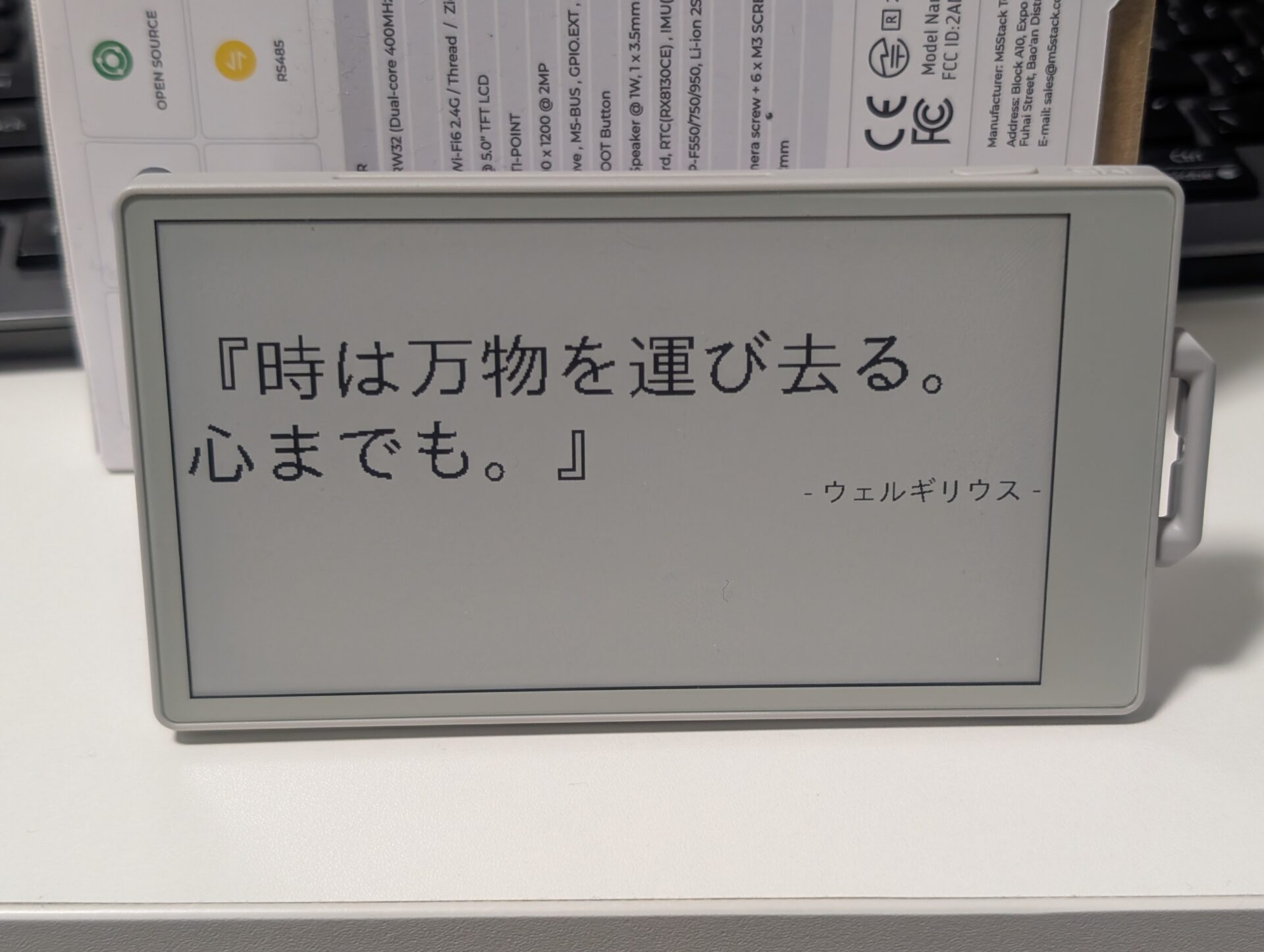
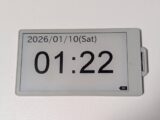
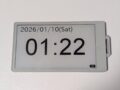
前回、電子ペーパーディスプレイ搭載のM5PaperS3を使って時計を作りましたが、今回は定期的に名言を表示してくれるディスプレイを作ります。

名言を取得する方法
「名言教えるよ!」のサイトからAPIをお借りします。(https://meigen.doodlenote.net/api/json.php?c=1)とURLを打つとjson形式で名言と著者がランダムに返ってきます。
返ってくるjsonの例
[{“meigen”:”死を願望するものは惨めであるが、死を恐れるものはもっと惨めである。”,”auther”:”ハインリヒ四世”}]
Arduinoプログラム
※”YOUR WIFI SSID NAME” “YOUR WIFI PASSWORD” は自宅のWi-Fiに合わせて書き換える必要があります。
プログラムの文体が前回と少し違うのはChatGPTに大半を書いてもらったから…動けばいいねん
|
1 2 3 4 5 6 7 8 9 10 11 12 13 14 15 16 17 18 19 20 21 22 23 24 25 26 27 28 29 30 31 32 33 34 35 36 37 38 39 40 41 42 43 44 45 46 47 48 49 50 51 52 53 54 55 56 57 58 59 60 61 62 63 64 65 66 67 68 69 70 71 72 73 74 75 76 77 78 79 80 81 82 83 84 85 86 87 88 89 90 91 92 93 94 95 96 97 98 99 100 101 102 103 104 105 106 107 108 109 110 111 112 113 114 115 116 117 118 119 120 121 122 123 124 125 126 127 128 129 130 131 132 133 134 135 136 137 138 139 140 141 142 143 144 145 146 147 148 149 150 151 152 153 154 155 156 157 158 159 |
//名言を表示するプログラム //一定時間更新・縦横置き両対応 #include <M5Unified.h> #include <WiFi.h> #include <HTTPClient.h> #include <Arduino_JSON.h> // ===== WiFi 設定 ===== const char* ssid = "YOUR WIFI SSID NAME"; const char* password = "YOUR WIFI PASSWORD"; // ===== 名言 API ===== const char* apiUrl = "https://meigen.doodlenote.net/api/json.php?c=1"; // ===== 更新間隔(秒)===== const unsigned long UPDATE_INTERVAL = 600;//600秒=10分ごとに更新 unsigned long lastUpdateMillis = 0; // ===== レイアウト関連定数 ===== const int MARGIN_X = 10; const int MARGIN_Y = 60; //const int LINE_SPACING = 34; const int AUTHOR_MARGIN = 80; int rotation; //画面向き // -------------------------------------------------- // 初期化処理 // -------------------------------------------------- void setup() { Serial.begin(115200); // M5Unified 設定 auto cfg = M5.config(); cfg.clear_display = false; // 自前でクリアする cfg.internal_imu = true; // IMU有効化 M5.begin(cfg); // 画面設定 rotation = 3; //M5.Display.setRotation(1); // WiFi 接続 WiFi.begin(ssid, password); while (WiFi.status() != WL_CONNECTED) { delay(500); } // 起動時に一度表示 fetchAndShowQuote(); lastUpdateMillis = millis(); } // -------------------------------------------------- // メインループ // -------------------------------------------------- void loop() { if (millis() - lastUpdateMillis >= UPDATE_INTERVAL*1000) { lastUpdateMillis = millis(); fetchAndShowQuote(); } delay(50); } // -------------------------------------------------- // APIから名言を取得 // -------------------------------------------------- void fetchAndShowQuote() { //画面向きを設定 updateRotationByIMU(); if (WiFi.status() != WL_CONNECTED) return; HTTPClient http; http.begin(apiUrl); int httpCode = http.GET(); if (httpCode <= 0) { http.end(); return; } String payload = http.getString(); http.end(); JSONVar root = JSON.parse(payload); if (JSON.typeof(root) == "undefined") return; String meigen = root[0]["meigen"]; String auther = root[0]["auther"]; displayQuote(meigen, auther); } // -------------------------------------------------- // 名言を自動改行で表示、作者を右揃え // -------------------------------------------------- void displayQuote(const String& meigen, const String& auther) { M5.Display.clear(WHITE); int screenWidth = M5.Display.width(); int screenHeight = M5.Display.height(); // 日本語フォント M5.Display.setFont(&fonts::lgfxJapanGothicP_40); M5.Display.setTextColor(BLACK, WHITE); //描画範囲を制限(画面端に余白を作る) M5.Display.setClipRect(MARGIN_X, MARGIN_Y, screenWidth-MARGIN_X*2, screenHeight-MARGIN_Y*2);//左、上、横幅、高さ // 自動改行を有効化 M5.Display.setTextWrap(true); // 描画領域を制限(右端で自動改行) M5.Display.setCursor(MARGIN_X, MARGIN_Y); //M5.Display.setCursor(0, 0); M5.Display.setTextDatum(top_left); // 幅制限付きで一気に表示(UTF-8安全) M5.Display.printf("『%s』", meigen.c_str()); // ---- 作者(右揃え) ---- String authorText = "- " + auther + " -"; int authorWidth = M5.Display.textWidth(authorText); int authorX = screenWidth - MARGIN_X - authorWidth; int authorY = M5.Display.getCursorY() + AUTHOR_MARGIN; M5.Display.setCursor(authorX, authorY); M5.Display.print(authorText); M5.Display.display(); //描画範囲の制限を解除 M5.Lcd.clearClipRect(); } //加速度で画面の向きを調整 void updateRotationByIMU() { float ax, ay, az; // 加速度取得 if (!M5.Imu.getAccel(&ax, &ay, &az)) { return; // 取得失敗時は何もしない } Serial.printf("Accel x:%f, y:%f, z:%f\n",ax,ay,az); if (ay < -0.7) { rotation = 3; // 通常横 } else if (ay > 0.7) { rotation = 1; // 逆さ横 } else if (ax > 0.7) { rotation = 0; // 通常縦 } else if (ax < -0.7) { rotation = 2; // 逆さ縦 } else { return; // 中途半端な角度は無視 } M5.Display.setRotation(rotation); } |
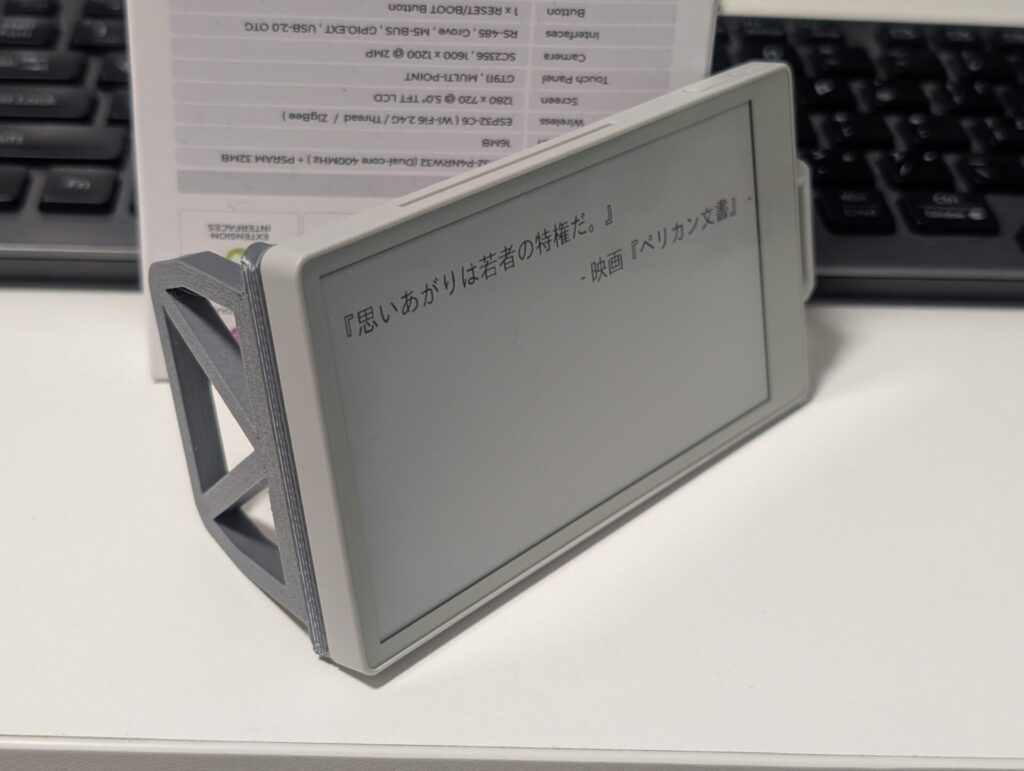
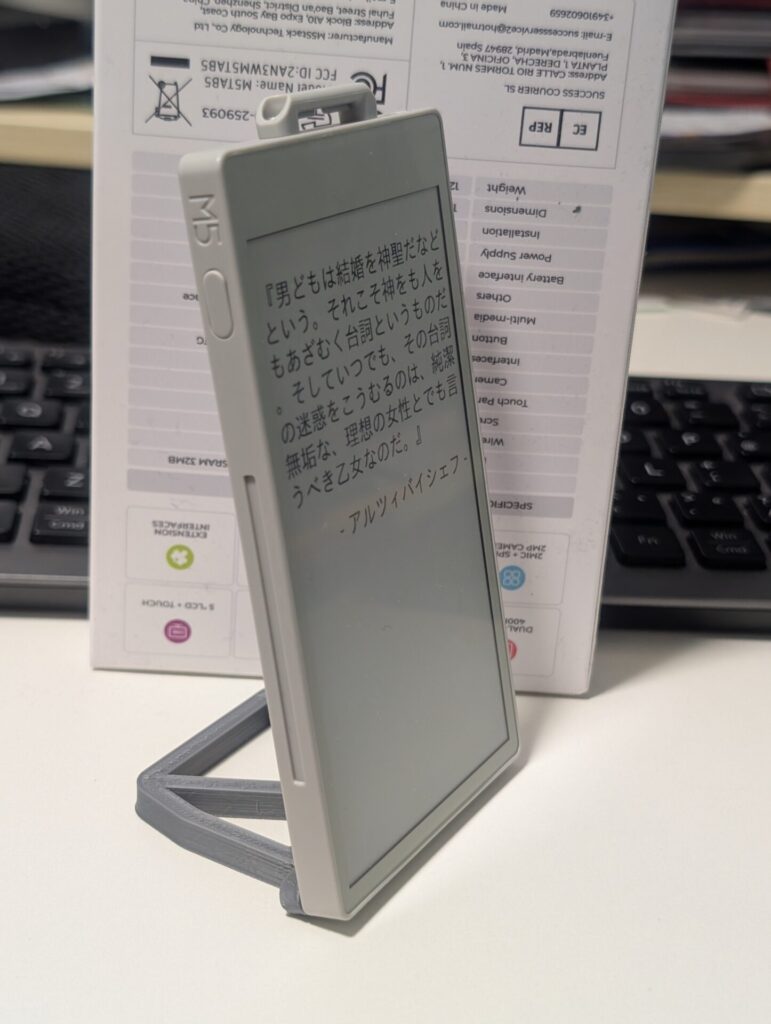
10分ごとに名言を取得して表示を切り替えます。M5PaperS3に内蔵の加速度センサを使って縦置き・横置きを判別して表示の方向を変えることができます。
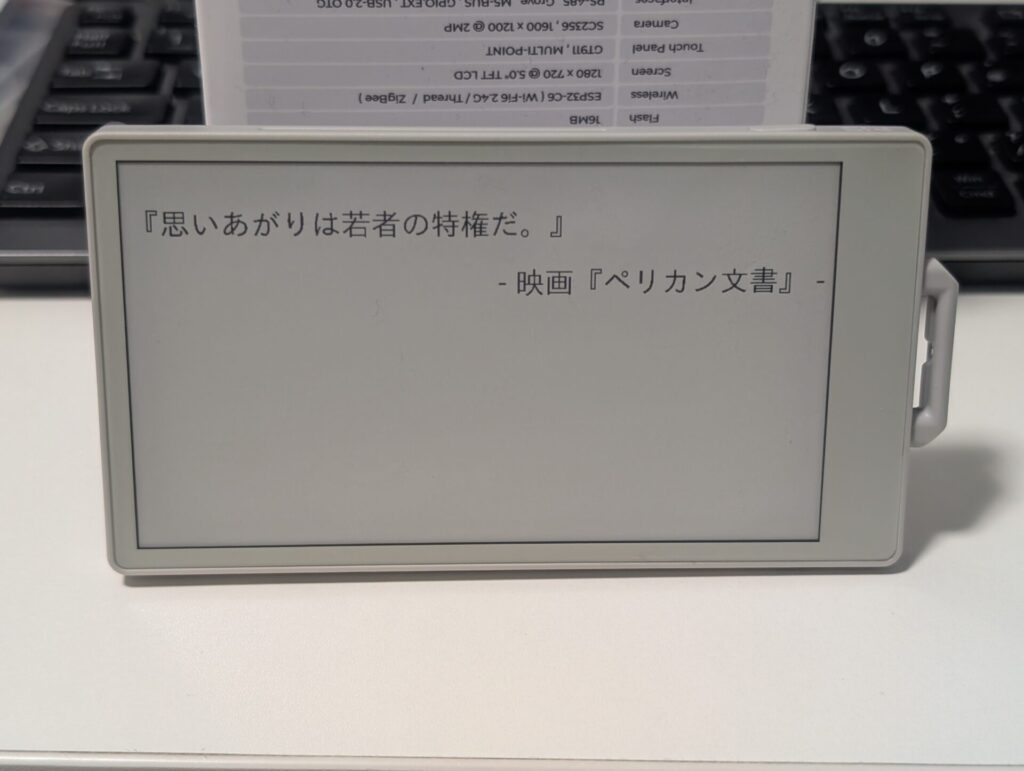
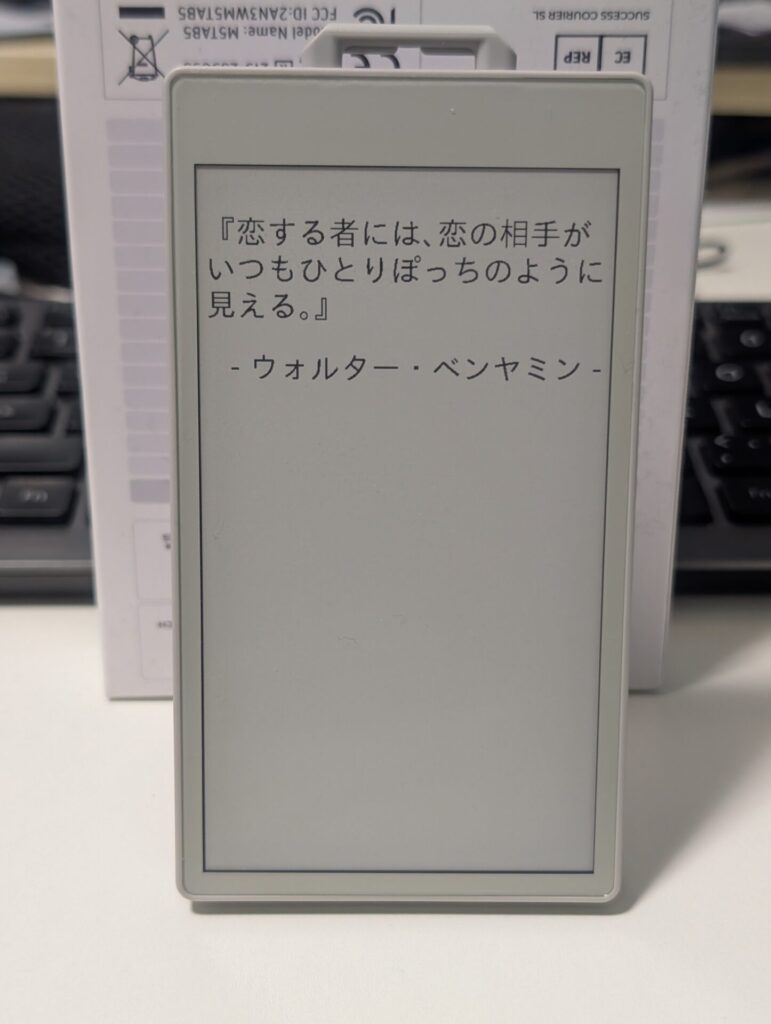
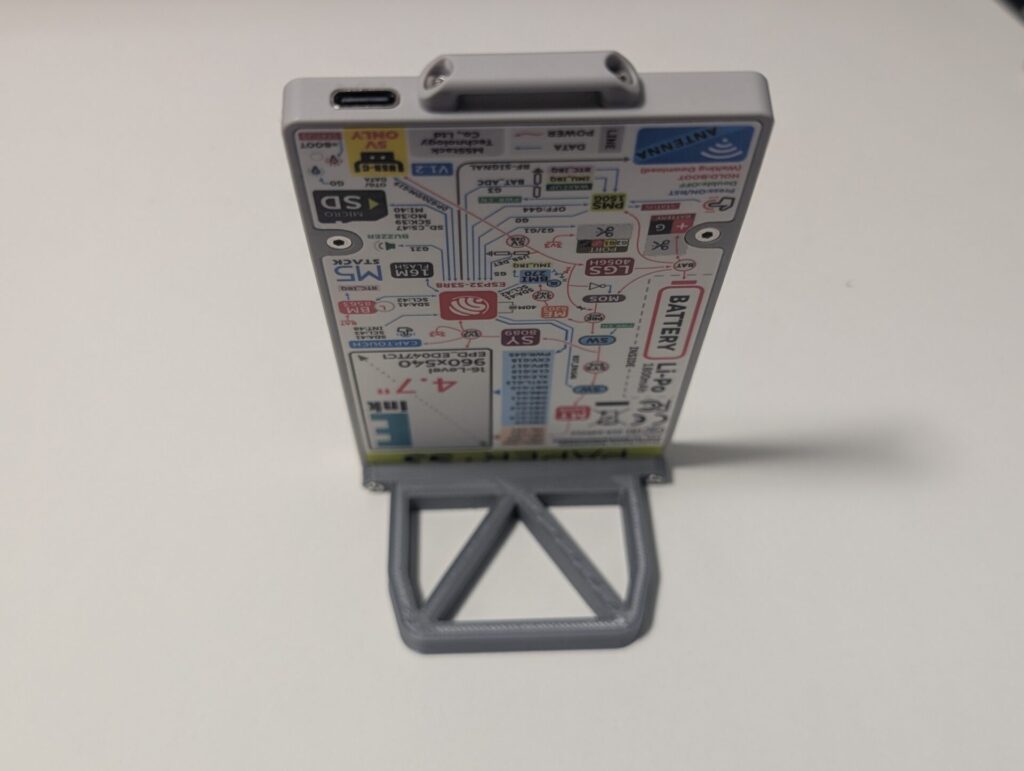
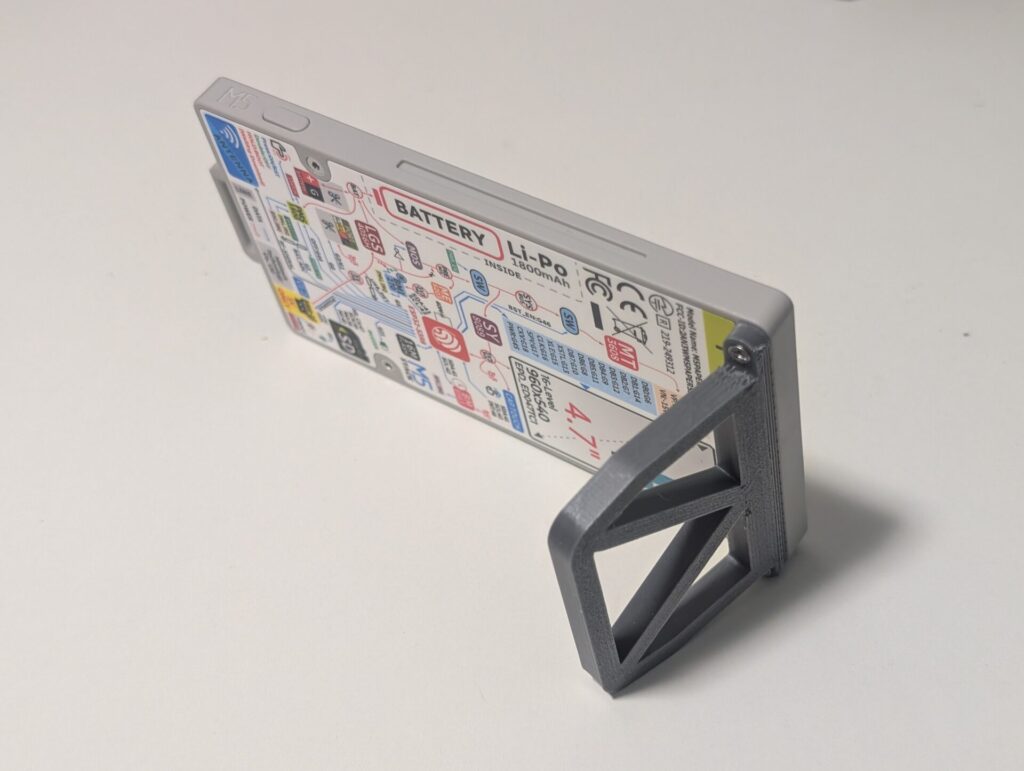
ついでにM5PaperS3を両置きできるスタンドも作りました。
表示を改良する
ランダムに取得される名言は短いものもあれば長いものもある。
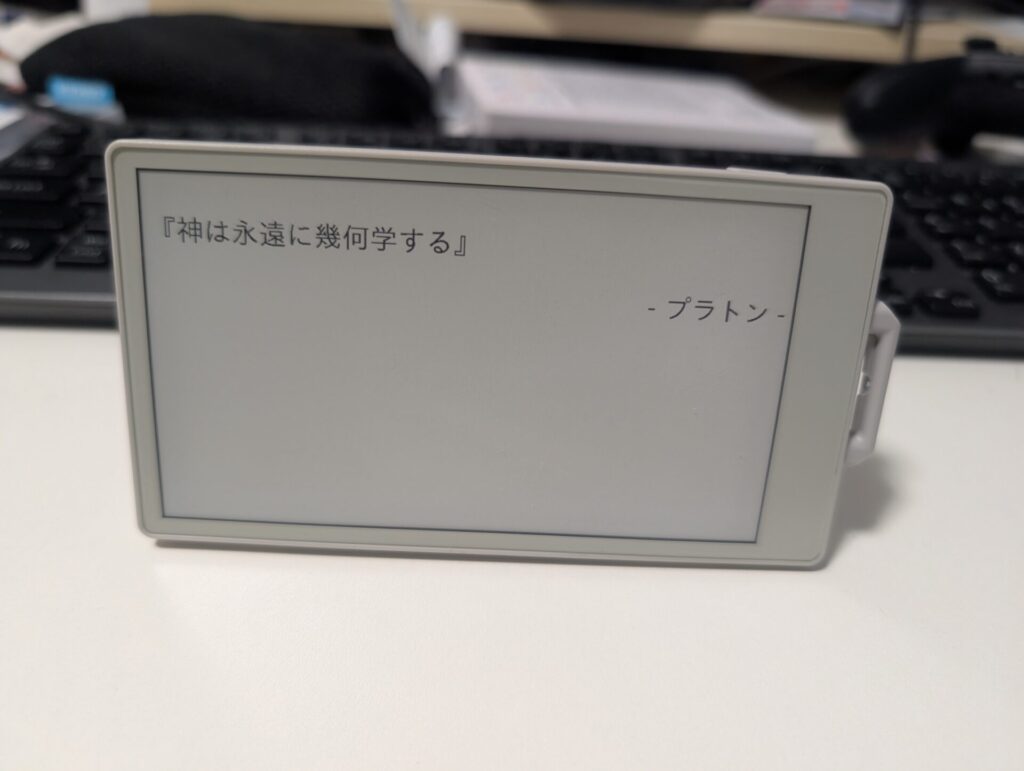
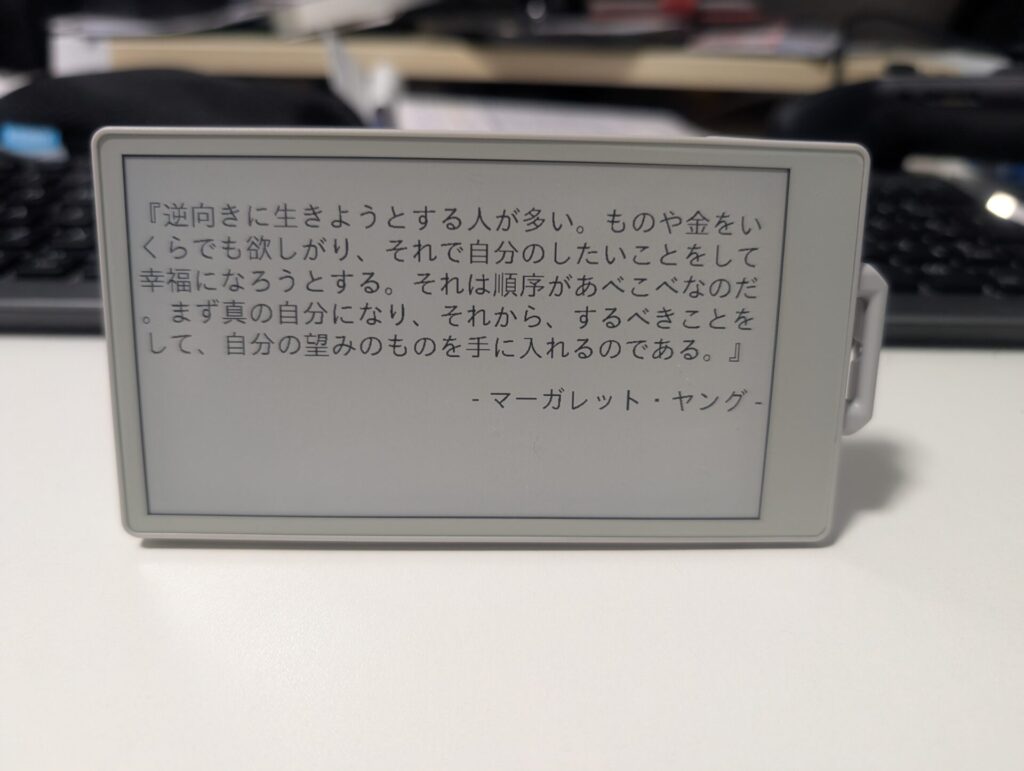
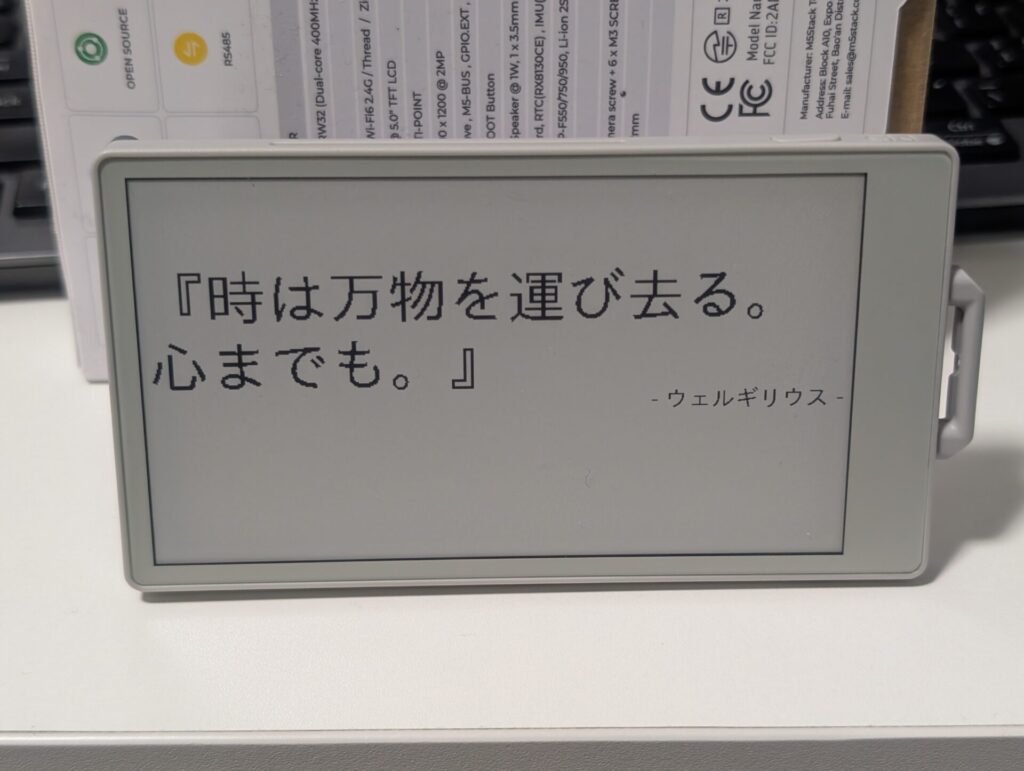
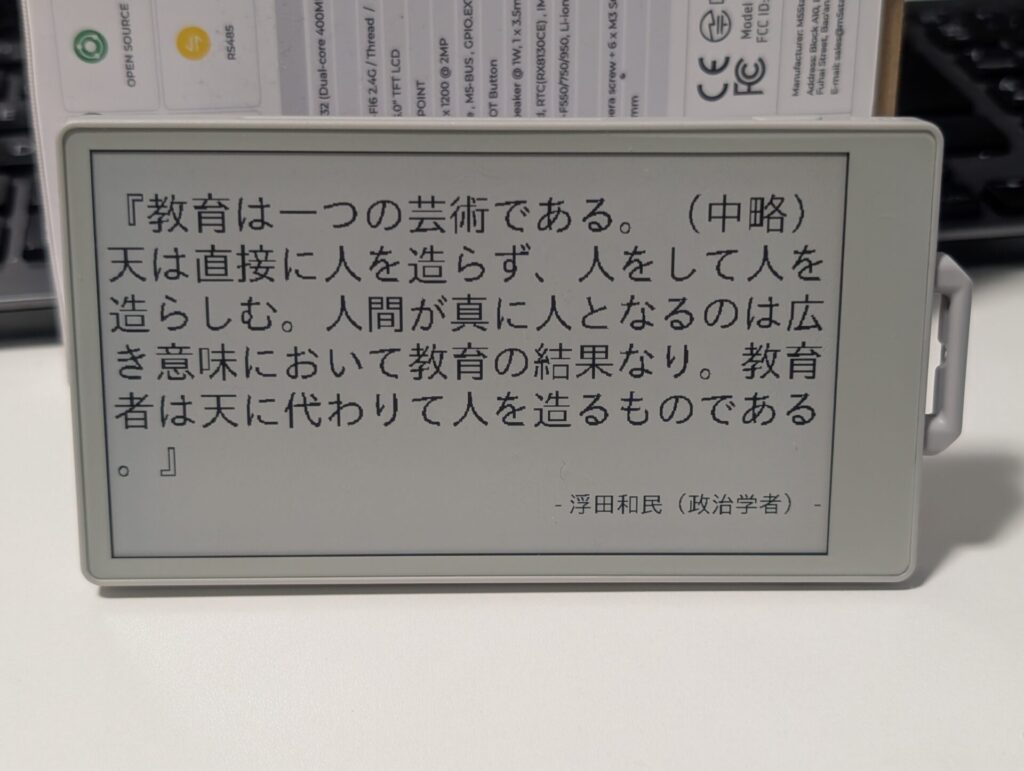
短い格言は大きく表示したいし、あまり長いと表示しきれなくなる可能性があるので格言の長さによってフォントサイズを調整したい。また、格言は中心左揃えに表示するようにする。
|
1 2 3 4 5 6 7 8 9 10 11 12 13 14 15 16 17 18 19 20 21 22 23 24 25 26 27 28 29 30 31 32 33 34 35 36 37 38 39 40 41 42 43 44 45 46 47 48 49 50 51 52 53 54 55 56 57 58 59 60 61 62 63 64 65 66 67 68 69 70 71 72 73 74 75 76 77 78 79 80 81 82 83 84 85 86 87 88 89 90 91 92 93 94 95 96 97 98 99 100 101 102 103 104 105 106 107 108 109 110 111 112 113 114 115 116 117 118 119 120 121 122 123 124 125 126 127 128 129 130 131 132 133 134 135 136 137 138 139 140 141 142 143 144 145 146 147 148 149 150 151 152 153 154 155 156 157 158 159 160 161 162 163 164 165 166 167 168 169 170 171 172 173 174 175 176 177 178 179 180 181 182 183 184 185 186 187 188 189 190 191 192 193 194 195 196 197 198 199 200 201 202 203 204 205 206 207 208 209 210 211 212 213 214 215 216 217 218 219 220 221 222 223 224 225 226 227 228 229 230 231 232 233 234 235 236 237 238 239 240 241 242 243 244 245 246 247 248 249 250 251 252 253 254 255 256 257 258 259 260 261 262 263 264 265 266 267 268 269 270 271 272 273 |
// ================================================== // 名言の長さに合わせてフォントサイズを調整して表示するプログラム // 名言は左揃えセンター配置 // M5PaperS3 + 名言API + IMU回転対応 // ================================================== #include <M5Unified.h> #include <WiFi.h> #include <HTTPClient.h> #include <Arduino_JSON.h> // ===== WiFi 設定 ===== const char* ssid = "YOUR WIFI SSID NAME"; const char* password = "YOUR WIFI PASSWORD"; // ===== 名言 API ===== const char* apiUrl = "https://meigen.doodlenote.net/api/json.php?c=1"; // ===== 更新間隔(秒)===== const unsigned long UPDATE_INTERVAL = 600; unsigned long lastUpdateMillis = 0; // ===== レイアウト関連定数 ===== const int MARGIN_X = 10; // 左右余白 const int MARGIN_Y = 10; // 上下余白 const int AUTHOR_MARGIN = 80; // 名言と作者の距離 int rotation; // 画面向き float fontSizeMax = 2.0; //名言の最大フォントサイズ float fontSizeMin = 0.3; //名言の最小フォントサイズ const lgfx::v1::U8g2font* font = &fonts::lgfxJapanGothicP_40; //名言のフォント const lgfx::v1::U8g2font* fontAuthor = &fonts::lgfxJapanGothicP_32; //作者のフォント // -------------------------------------------------- // 初期化処理 // -------------------------------------------------- void setup() { Serial.begin(115200); delay(300); Serial.println("=== M5PaperS3 Quote Viewer Start ==="); // --- M5Unified 初期設定 --- auto cfg = M5.config(); cfg.clear_display = false; // 自前で画面クリア cfg.internal_imu = true; // IMU有効 M5.begin(cfg); // 初期画面向き rotation = 3; M5.Display.setRotation(rotation); // --- WiFi 接続 --- Serial.printf("[WiFi] Connecting to %s\n", ssid); WiFi.begin(ssid, password); while (WiFi.status() != WL_CONNECTED) { Serial.print("."); delay(500); } Serial.println("\n[WiFi] Connected"); Serial.print("[WiFi] IP address: "); Serial.println(WiFi.localIP()); // 起動時に一度名言を取得・表示 fetchAndShowQuote(); lastUpdateMillis = millis(); } // -------------------------------------------------- // メインループ // -------------------------------------------------- void loop() { // 一定時間ごとに名言を更新 if (millis() - lastUpdateMillis >= UPDATE_INTERVAL * 1000) { Serial.println("[Loop] Update interval reached"); lastUpdateMillis = millis(); fetchAndShowQuote(); } delay(50); } // -------------------------------------------------- // APIから名言を取得して表示 // -------------------------------------------------- void fetchAndShowQuote() { // IMUから画面向きを更新 updateRotationByIMU(); if (WiFi.status() != WL_CONNECTED) { Serial.println("[HTTP] WiFi not connected"); return; } Serial.println("[HTTP] Requesting quote..."); HTTPClient http; http.begin(apiUrl); int httpCode = http.GET(); if (httpCode <= 0) { Serial.printf("[HTTP] GET failed, code=%d\n", httpCode); http.end(); return; } Serial.printf("[HTTP] Response code: %d\n", httpCode); // JSON文字列を取得 String payload = http.getString(); http.end(); Serial.println("[HTTP] Payload:"); Serial.println(payload); // JSON解析 JSONVar root = JSON.parse(payload); if (JSON.typeof(root) == "undefined") { Serial.println("[JSON] Parse failed"); return; } // 名言と作者を取得 String meigen = root[0]["meigen"]; String auther = root[0]["auther"]; Serial.println("[JSON] Parsed data:"); Serial.println(meigen); Serial.println(auther); displayQuote(meigen, auther); } // -------------------------------------------------- // 最大縦幅に収まるフォントを選択 // -------------------------------------------------- float decideFontSizeByHeightLimit( const String& text, int areaWidth, int MAX_TEXT_HEIGHT, int* outTextHeight ) { const lgfx::v1::U8g2font* fixedFont = &fonts::lgfxJapanGothicP_40; // 大きい倍率から小さい倍率へ for (float size = fontSizeMax; size >= fontSizeMin; size -= 0.1) { M5.Display.setFont(fixedFont); M5.Display.setTextSize(size); int fontH = M5.Display.fontHeight(); int textW = M5.Display.textWidth(text); int lines = (textW + areaWidth - 1) / areaWidth; int totalH = lines * fontH; Serial.printf( "[FontSizeCheck] size=%.1f lines=%d totalH=%d\n", size, lines, totalH ); if (totalH <= MAX_TEXT_HEIGHT) { *outTextHeight = totalH; Serial.printf("[FontSizeSelect] Selected size %.1f\n", size); return size; } } // 最小倍率フォールバック Serial.println("[FontSizeSelect] Fallback to size 0.3"); *outTextHeight = MAX_TEXT_HEIGHT; return 0.3; } // -------------------------------------------------- // 名言を表示(自動改行+作者右揃え) // -------------------------------------------------- void displayQuote(const String& meigen, const String& auther) { Serial.println("[Display] Rendering quote"); M5.Display.clear(WHITE); M5.Display.setTextColor(BLACK, WHITE); M5.Display.setFont(font); int screenWidth = M5.Display.width(); int screenHeight = M5.Display.height(); // --- 描画範囲制限 --- M5.Display.setClipRect( MARGIN_X, MARGIN_Y, screenWidth - MARGIN_X * 2, screenHeight - MARGIN_Y * 2 ); // 自動改行ON M5.Display.setTextWrap(true); M5.Display.setTextDatum(top_left); // 作者フォント高さ取得 M5.Display.setFont(fontAuthor); int authorFontH = M5.Display.fontHeight(); int textHeight; int MAX_TEXT_HEIGHT = screenHeight - MARGIN_Y * 2 - AUTHOR_MARGIN - authorFontH; int CENTER_Y = screenHeight / 2; // --- フォント選択 --- float fontSize = decideFontSizeByHeightLimit( meigen, screenWidth - MARGIN_X * 2, MAX_TEXT_HEIGHT, &textHeight ); // 名言+作者 全体の縦高さ int totalBlockHeight = textHeight + AUTHOR_MARGIN + authorFontH; // 全体を画面Y中央へ int blockStartY = (screenHeight - totalBlockHeight) / 2; // 名言表示 M5.Display.setTextSize(fontSize); M5.Display.setCursor(MARGIN_X, blockStartY); //M5.Display.setCursor(MARGIN_X, 0);//仮Y M5.Display.printf("『%s』", meigen.c_str()); // --- 作者表示(右揃え) --- M5.Display.setFont(fontAuthor); M5.Display.setTextSize(1); String authorText = "- " + auther + " -"; int authorWidth = M5.Display.textWidth(authorText); int authorX = screenWidth - MARGIN_X - authorWidth; int authorY = M5.Display.getCursorY() + AUTHOR_MARGIN; Serial.printf("[Display] Author at (%d,%d)\n", authorX, authorY); M5.Display.setCursor(authorX, authorY); M5.Display.print(authorText); M5.Display.display(); // 描画制限解除 M5.Lcd.clearClipRect(); } // -------------------------------------------------- // 加速度センサで画面回転を制御 // -------------------------------------------------- void updateRotationByIMU() { float ax, ay, az; // 加速度取得 if (!M5.Imu.getAccel(&ax, &ay, &az)) { Serial.println("[IMU] Failed to read accel"); return; } Serial.printf("[IMU] ax=%.2f ay=%.2f az=%.2f\n", ax, ay, az); int newRotation = rotation; if (ay < -0.7) newRotation = 3; else if (ay > 0.7) newRotation = 1; else if (ax > 0.7) newRotation = 0; else if (ax < -0.7) newRotation = 2; else return; if (newRotation != rotation) { rotation = newRotation; M5.Display.setRotation(rotation); Serial.printf("[IMU] Rotation changed to %d\n", rotation); } } |

コメント